GB WhatsApp Ban Issues 2026: Causes, Fixes & Prevention
GB WhatsApp ban issues are one of the biggest concerns for users who rely on modified WhatsApp features. Many users suddenly see a ban message without understanding what went wrong. This guide explains why a GB WhatsApp account gets banned, how bans work, and what you can realistically do next. You will also learn safe usage patterns, recovery options, and prevention tips based on real user experiences.
If your WhatsApp GB account is restricted or you want to avoid future risks, this page will give you clear, honest, and practical answers without confusion or false promises.
What Does a GB WhatsApp Ban Mean?
A GB WhatsApp ban means WhatsApp has limited or blocked your account because it detected the use of a modified app. This action comes from WhatsApp’s automated security system, not from the GB WhatsApp app itself.
What a Ban Actually Is?
When a ban happens, your phone number is flagged. You may lose access to chats, calls, and account verification. In some cases, the ban is temporary. In others, it is permanent.
Restriction vs Suspension vs Full Ban
Not all bans are the same. WhatsApp applies different levels of action.
Restriction
Some features stop working. Messages may not be sent. This is usually a warning stage.
Suspension
Your account is locked for a short time. You see a countdown timer. Access may return after waiting.
Full Ban
Your number is permanently blocked. You cannot verify again using the same number.
How WhatsApp Detects Modified Apps?
WhatsApp uses server-side checks. It looks for app signatures that do not match the official WhatsApp app. It also monitors unusual behavior like mass messaging, automation, or feature misuse. Once detected, the system can trigger a ban without manual review.
Understanding these basics helps you react calmly and choose the right next step if a GB WhatsApp ban occurs.
Why GB WhatsApp Accounts Get Banned?
GB WhatsApp accounts get banned because the app breaks WhatsApp’s official rules. WhatsApp clearly allows only its own original app. Any modified version is treated as a risk.
Core Policy Violations Explained Simply
WhatsApp policies are built to protect user data and platform integrity. When an app changes how WhatsApp works, it violates these rules. GB WhatsApp changes features, privacy controls, and message handling. This alone is enough to trigger a ban.
Use of Modified APK Files
GB WhatsApp is a modified APK. It does not come from WhatsApp or the Play Store. WhatsApp systems can detect apps that do not match the official app signature. Once detected, the number using that app may be flagged.
Automation and Abnormal Behavior Signals
WhatsApp also tracks how accounts behave. Sending bulk messages, auto replies, fast forwarding, or repeated broadcasts can look like spam. These patterns are common in modified apps. When activity looks unnatural, WhatsApp’s system may apply a ban.
In short, bans happen because GB WhatsApp changes the app and how users behave on it. Even careful users can still be detected over time.
Types of GB WhatsApp Bans
GB WhatsApp bans are not all the same. WhatsApp applies different ban types based on risk level, repeat usage, and account behavior. Understanding these types helps users know what they are facing and what to expect next.
Temporary Ban (Time-Based Restriction)
A temporary ban is a short restriction. It usually lasts from a few hours to a few days.
During this time:
This ban often happens to first-time users of modified apps. It is a warning from WhatsApp.
Permanent Ban (Number-Level Block)
A permanent ban is more serious. WhatsApp blocks your phone number completely.
When this happens:
This usually occurs after repeated violations or long-term use of GB WhatsApp.
Device-Based vs Number-Based Bans
WhatsApp applies bans in two main ways.
Number-based bans block only the phone number. Changing the number may allow access again.
Device-based bans are stricter. WhatsApp flags the phone itself using device identifiers. Even new numbers may fail to register on the same device.
Device bans are rare but can happen after multiple violations.
Knowing the ban type helps you choose the right recovery steps and avoid further risk.
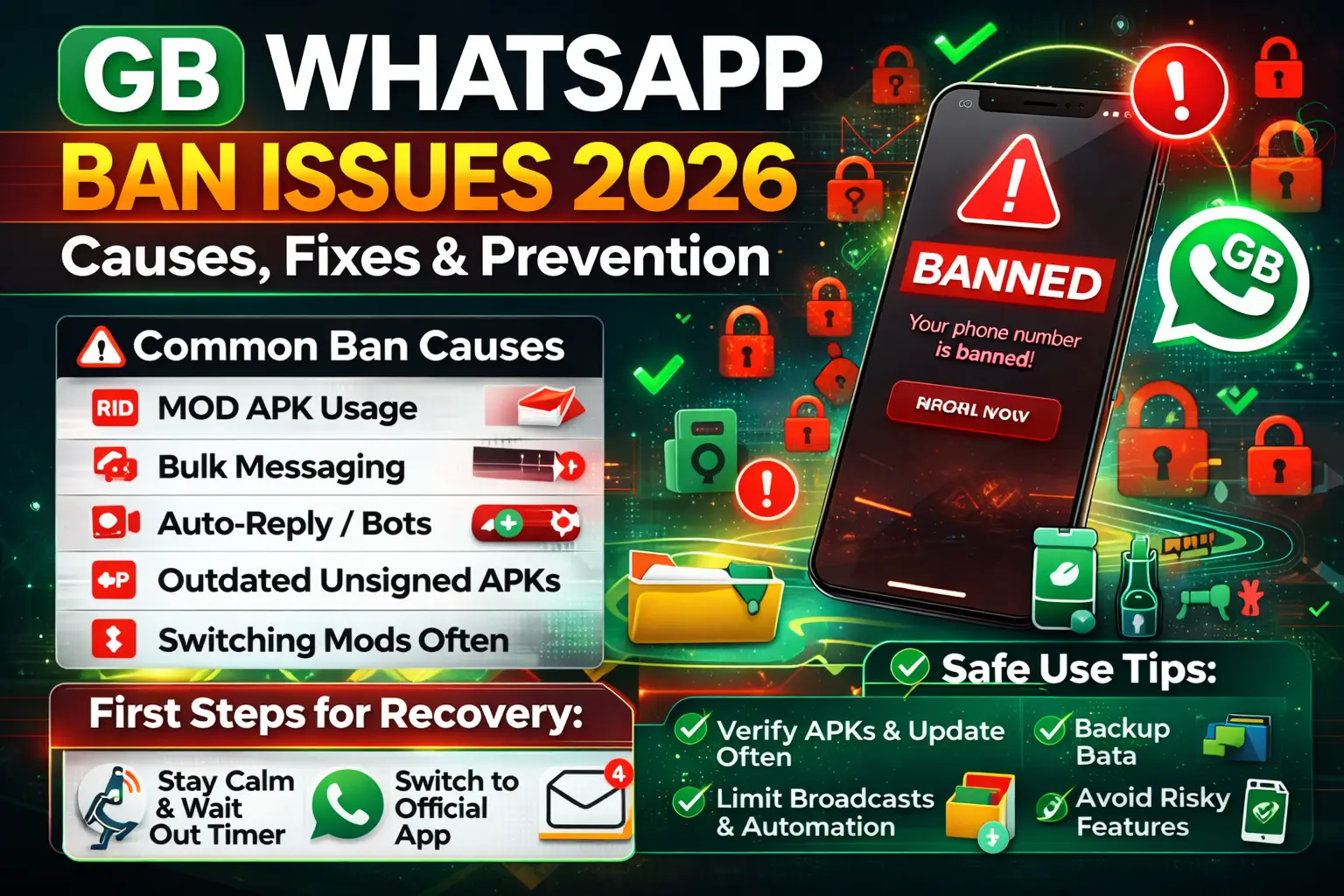
Common Actions That Trigger a GB WhatsApp Ban
Many users get banned without knowing what went wrong. In most cases, the ban is triggered by repeated risky actions that WhatsApp systems can easily detect.
Excessive Broadcasting
Sending the same message to many contacts at once looks like spam.
When broadcasts are sent too often or to people who did not save your number, WhatsApp flags the activity.
Bulk Messaging
Bulk messaging means sending messages in high volume within a short time.
This behavior is common in promotions and scams, so WhatsApp treats it as a violation.
Auto-Reply and Bots Misuse
Auto-reply features are useful, but overusing them is risky.
Bots that reply instantly, all day, without breaks, create non-human behavior patterns.
This is a strong signal for an account review.
Using Outdated or Unofficial Builds
Old or unofficial versions lack updated safety patches.
WhatsApp can easily detect these builds and mark them as unsafe.
This increases the chance of a quick ban.
Switching Between Mods Frequently
Using multiple mods or switching versions often confuses WhatsApp systems.
Each switch resets behavior patterns and raises suspicion.
Frequent changes can lead to temporary or permanent bans.
Avoiding these actions greatly reduces the risk of losing access to your account.
First Things to Do When GB WhatsApp Is Banned
A ban can feel stressful, but the first few steps matter a lot. Acting in panic can make things worse. Follow these basics to protect your number.
Don’ts Immediately After a Ban
These actions look suspicious and can extend the ban.
How to Check Ban Duration?
Open the app and read the ban message carefully. If it shows a countdown timer, it is a temporary ban. If there is no timer and access is blocked, it may be permanent.
The message on the screen is the most reliable source gbwhatap.com.
Should You Uninstall or Wait?
For a temporary ban, wait until the timer ends.
Do not uninstall during this period.
For a permanent ban, uninstalling will not remove the block.
In that case, your number is already restricted at the server level.
Staying calm and patient gives you the best chance to recover safely.
How to Fix Temporary GB WhatsApp Ban Issues (Step by Step)
A temporary ban means your account is restricted for a short time. This usually lasts a few hours or days. Follow these steps carefully to avoid making the ban longer.
Step 1. Understand the Waiting Period
Step 2. Switch Back to Official WhatsApp
This step shows normal behavior and reduces risk.
Step 3. Complete the Re-Verification Process
Step 4. Use Official WhatsApp for a Few Days
This helps your account return to a safe state.
Step 5. Reinstall Carefully If You Choose to Return
Reinstalling too quickly increases the chance of another ban.
Patience is the key here. Most temporary bans resolve on their own if you follow these steps calmly.
Can You Recover a Permanently Banned Account?
A permanent ban is serious. It means WhatsApp has blocked your number at the system level. Recovery is limited, and honest expectations matter.
Realistic Expectations
In most cases, a permanent ban cannot be reversed. The number is flagged for repeated policy violations. Changing apps or reinstalling will not help.
Official WhatsApp Appeal Option
You can still try one last step. Open official WhatsApp and tap Contact Support.
Submit a short and polite appeal. Explain that you understand the rules.
Request a review of your number.
This works rarely, but it is the only valid option.
When Recovery Is Not Possible
If support confirms the ban, the decision is final. There is no safe way to bypass it.
Using tools or fake methods can cause device-level blocks.
In this case, the only solution is to use a new number and follow safe usage rules going forward.
How to Recover Chats and Data After a Ban?
Losing access does not always mean losing your chats. Recovery depends on how and where your data was backed up.
Local Backup Recovery
GB-based apps often save backups to your phone storage. Check the WhatsApp or GB folder in internal storage. Look for files named with dates, like msgstore.db.crypt. If the backup exists, you can restore it during setup. This works only if the files were not deleted.
Google Drive Restore Limitations
Google Drive backups link to the official WhatsApp only. Modified apps usually cannot be restored from Drive. If you switch back to the official app, Drive restore may appear. This depends on account match and backup timing. There is no guarantee after a ban.
Best Backup Practices Before Using Mods
Regular backups reduce stress if access is lost. Data safety should come before extra features.
Safe Alternatives If GB WhatsApp Keeps Getting Banned
If bans happen again and again, it may be time to switch. Stability and account safety matter more than extra features. You can download safe alternatives.
Official WhatsApp Features You Can Rely On
The official app now offers many useful tools. You get chat backup, end-to-end encryption, and privacy controls. Status privacy, archived chats, and linked devices work smoothly. Most users find these features enough for daily use.
WhatsApp Business as an Option
WhatsApp Business is a safe choice for professionals. It allows auto replies, labels, and business profiles. There is no risk of bans when used properly. It works well for customer support and small teams.
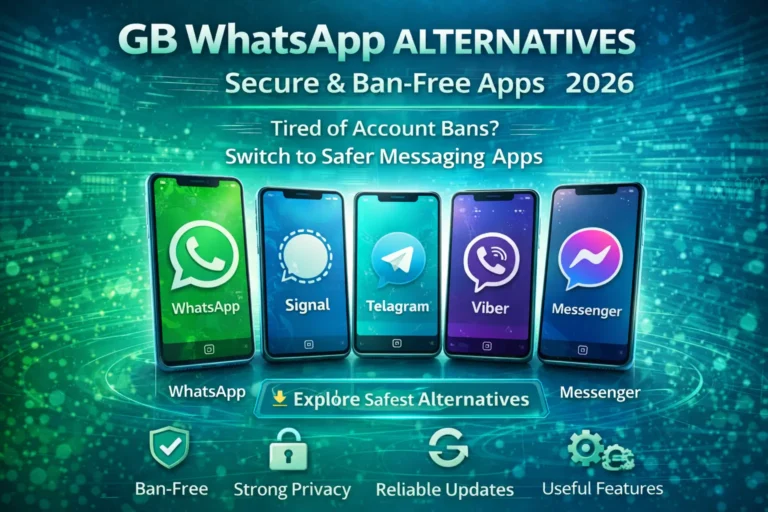
Other Messaging Apps
Some users move to apps like Telegram or Signal. They focus on privacy and multi-device support. These apps follow clear rules and avoid account risks. Choosing a stable platform saves time and stress in the long run.
Mistakes That Increase the Risk of Repeated Bans
Many users face repeat bans because of small but serious mistakes. Avoiding these habits can help keep your account safer.
Using Old or Cracked APKs
Older or modified builds often lack safety patches. Cracked files may include risky code. These versions get flagged faster by WhatsApp systems.
Ignoring Update Warnings
Update alerts are not random. They signal changes in detection rules. Skipping updates increases ban risk.
Logging In with Banned Numbers
A banned number stays flagged. Reusing it on any modified app triggers instant blocks. Always confirm the number status first.
Overusing Privacy and Automation Features
Excessive hiding options look unnatural. Auto-replies and message tools raise red flags. Normal usage patterns reduce detection chances. Smart use and restraint matter more than features.
Download GB WhatsApp APK Old Version
Avoiding bans requires a mix of careful habits and smart usage. Following these guidelines reduces risk and keeps your account safe.
Safe Usage Checklist
Feature Moderation Tips
Update Discipline
Backup Discipline
Consistent care and moderation are the keys to long-term, safe use of GB WhatsApp without repeated bans.
Expert Safety Tips for Long-Term GB WhatsApp Use
Using GB WhatsApp safely over the long term requires strategy and moderation. Following real-world best practices reduces risk while letting you enjoy the app’s unique features.
Best Practices Based on Real Usage Patterns
How to Balance Features and Risk?
Signals to Stop Using Mods
Listening to these warning signs and using moderation ensures a safer GB WhatsApp experience without risking permanent bans.
Frequently Asked Questions (FAQs)
Is GB WhatsApp banned permanently?
Not always. A permanent ban happens only after repeated violations. Many bans are temporary and can be resolved.
How long does a temporary ban last?
Temporary bans usually last from a few hours to a few days. The app shows a countdown timer if it is temporary.
Can I use the same number again?
Yes, but only after the ban expires. For permanent bans, the same number cannot be used with modified apps.
Does updating GB WhatsApp remove the ban risk?
Updating to the latest verified version reduces risk but does not guarantee immunity. Safe usage is still essential.
Is anti-ban protection reliable?
Anti-ban features may lower detection chances, but they are not foolproof. Following safe practices is more effective than relying solely on anti-ban claims.
What should I do if my account is repeatedly banned?
Switch to the official WhatsApp app temporarily, limit automation, and avoid risky features until you stabilize your account.
How can I recover chats after a ban?
Use local backups stored on your device. Google Drive restores may work only if you switch back to the official WhatsApp.
Conclusion
GB WhatsApp offers unique features and flexibility, but it comes with real risks. Temporary and permanent bans are possible, especially if the app is used carelessly or outdated versions are installed. Understanding these risks and following safe practices can help you enjoy GB WhatsApp while minimizing trouble.
If you decide to use it, stick to verified versions, limit automation, and back up your chats regularly. For repeated issues or high-risk usage, switching to the official WhatsApp or WhatsApp Business is the safer choice.
Make an informed decision and use GB WhatsApp wisely to keep your account and data secure.